 gaming-horse.com
If you're one of many gamers who have both a PC and a PlayStation console, you've probably made...
10 Of The Most GPU-Intensive Games On The Market Today
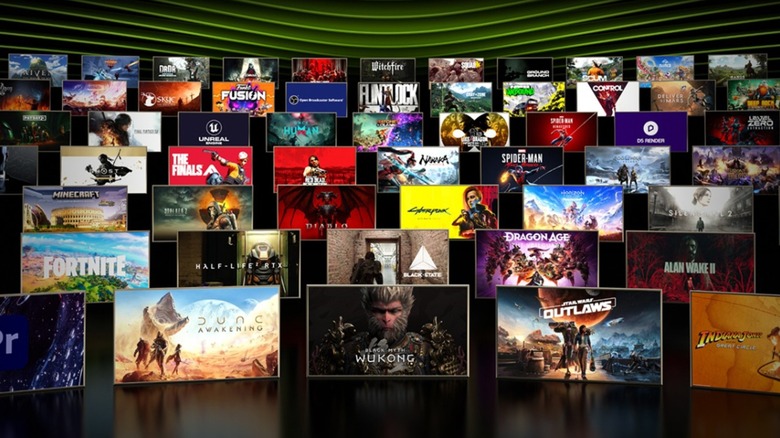
One of the biggest pros of upgrading to Nvidia’s new RTX 50 series graphics cards is, obviously, the increase in performance. Nearly every game that’s on PC today can be played by a 5090 or 5080 with almost no issues, with many of them providing incredible frame rates even when playing at 4K resolution. Unfortunately, the strength and unique features of these cards have led video game developers to fall a bit behind when it comes to optimization — at least, according to many gaming enthusiasts today. As a result, some games will push your computer to its limits even if you have the most powerful cards available.
Numerous modern titles will try and take advantage of new and upgraded technologies like DLSS and ray tracing. Certain games can even end up requiring these technologies before launching at all, locking out low-end users entirely. Even today, GPUs that were released nearly 10 years ago are used by a surprisingly large percentage of people. The most GPU-intensive games on the market today could end up being unplayable on some people’s machines, and those with high-end cards can still end up struggling with poor performance, even with the right settings.
Alan Wake 2
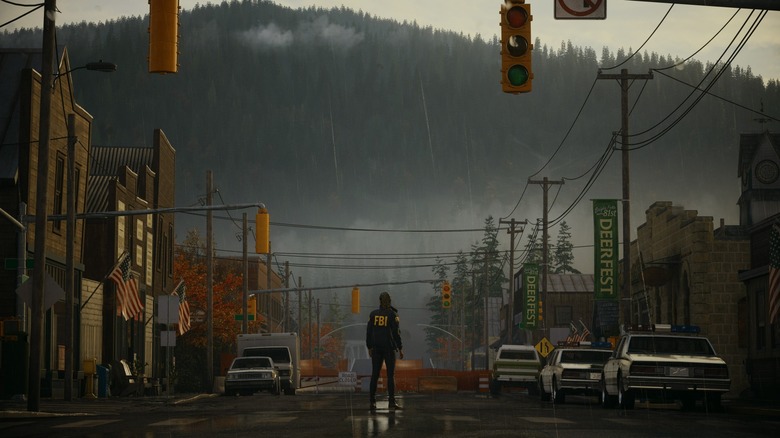
The news that “Alan Wake” was finally getting a sequel after nearly a decade of waiting excited many long-time fans. But even if it wasn’t for its Epic Games Store exclusivity, many players are still unable to try it out for themselves. The absolute minimum recommendation for a graphics card in this game is a GTX 1070 or RX 5600 XT, and both of these cards can still go toe-to-toe with some newer models today. On something low-end like a GTX 1650, “Alan Wake 2” struggles to maintain 40 FPS at standard HD resolution even with FSR enabled.
Low-end cards can still at least handle the game with a lot of care taken toward turning down its settings. But when turning everything to its maximum, even a 5090 is brought to its knees, struggling to keep above that same frame rate without DLSS enabled. This only happens with supported features like ray tracing, and those aren’t necessary to play the game, so “Alan Wake 2” is actually a good title to use as a testing ground. It might not be a game that will turn your PC into a slideshow from launch, but you can adjust the settings to see just what it’ll take to get to that point.
Black Myth: Wukong
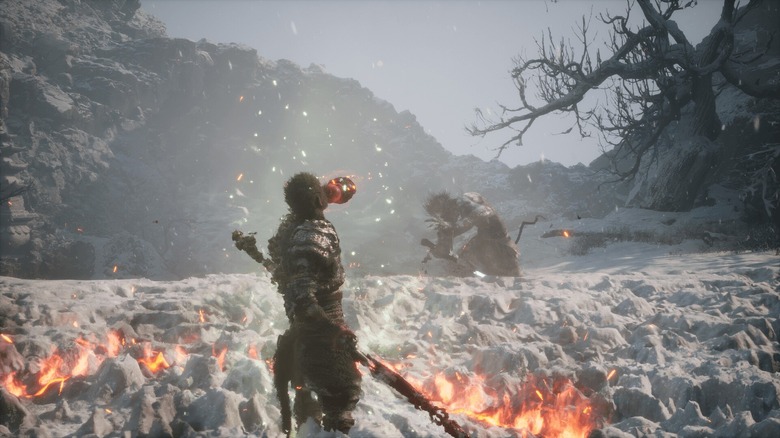
“Black Myth: Wukong” actually has its own benchmarking tool available for free on the Steam store, so you’ll be able to see if your PC can run the game before making your purchase. Considering how stressful it can be on certain systems, this is especially helpful for those who only really have low-end PCs or a portable Steam Deck. In fact, “Wukong” is one game that’s unsupported by the Deck simply due to its high graphical requirements, forcing you to mess with settings on your Deck that might be ruining your experience. With this in mind, though, the game still has lower requirements than “Alan Wake 2,” allowing a bit more freedom when it comes to who can actually play it.
Also like “Alan Wake 2,” “Black Myth: Wukong” has quite a few settings that can impact performance much more heavily. A 5090 can handle it well at 4K resolution, but a 4090 only just barely reaches past 60 FPS. The most powerful AMD cards will have trouble getting that far in the first place, and an Arc B580 will fall short of that target with 1080p medium settings. You’ll probably have few issues getting the game to run, but without a $1,000-or-higher GPU, it won’t be nearly as playable when maxing out its settings.
Cyberpunk 2077

To many people, “Cyberpunk 2077” was more proof that we should stop pre-ordering games, with its poor performance at launch affecting more than just people trying to run it on low-end PCs. The game’s terrible optimization hardly allowed it to work even on consoles, with the PlayStation 4 in particular struggling to keep itself from outright crashing during normal gameplay. Luckily, it’s come a long way since then on PC, with various updates helping stabilize its performance to let it run on lower-tier cards. It’s almost hard to believe the newfound smoothness of “Cyberpunk 2077” when looking back at how it used to be.
Of course, this title is yet another with GPU-shattering graphical settings. It was used by Nvidia to showcase the company’s new DLSS 4 & Frame Generation features on its latest cards, but when ignoring those additions, even a 5090 can’t manage consistent 30 FPS with ray tracing at its maximum settings. The fact that a modern-day $2,000 graphics card continues to struggle without any fancy AI-driven additions is insane, and it’s a perfect example of why “Cyberpunk 2077” deserves a mention even with all of its baseline improvements.
Final Fantasy VII Rebirth
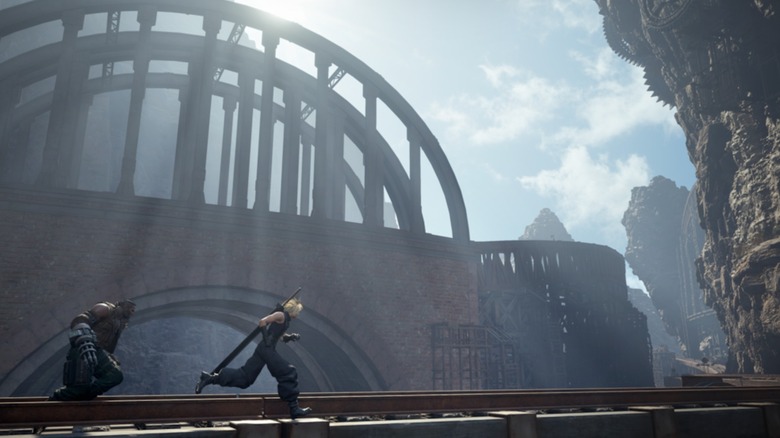
Although it was initially released for the PlayStation 5 around one year prior, “Final Fantasy VII Rebirth” only made it to PC in late January 2025. Predictably for such a massive game brought outside of consoles so recently, it’s an absolute terror on low-end systems. Unlike previously mentioned titles, most older graphics cards can’t even run the game at all without the help of mods. Rather than having the potential to be taxing on your computer, “Rebirth” will outright refuse to launch on outdated hardware.
“Rebirth” is far from the only example of Square Enix’s games tearing through even the most capable PCs. While “Final Fantasy XVI” at least launches on lower-end cards, it still chews through VRAM even on lower resolutions, and a 4090 just isn’t able to manage 60 FPS when turned up to 4K. By the time the sequel to “Rebirth” finally comes to PC, even playing the game at 1080p might be too much to ask for any GPU that isn’t at the top end.
Microsoft Flight Simulator 2024

Considering how flight simulators prepare real pilots for emergencies, it makes sense that they should be available on as many platforms as possible. “Microsoft Flight Simulator 2024” adheres to this assumption with its minimum settings only needing a GTX 970 or RX 5700 — two graphics cards that are immensely outdated by today’s standards. This title, however, isn’t a small game by any means — it might take only 50 GB of memory, but on-demand streaming data allows “Microsoft Flight Simulator 2024” to display a scale 1:1 model of Earth. That massive burden ends up being more stressful on CPUs rather than GPUs in certain scenarios, which can vastly affect the frame rate at lower resolutions. If you already have one of the X3D processors, which are among the best AMD CPUs for PC gaming today, you shouldn’t have much of an issue at 1080p.
That doesn’t mean “Flight Simulator 2024” isn’t demanding, though. A 5090 performs well enough in it at 4K resolution, but it can still end up making for a pretty bad experience thanks to terrible 1% lows. In other words, the card experiences some notable stuttering — even more than some less powerful GPUs. Anything worse than a 4070 will also still struggle to maintain playable frame rates even at 1080p medium settings, so you should be aware that “Flight Simulator 2024” doesn’t only demand a lot from your CPU alone.
Indiana Jones and the Great Circle

“Indiana Jones and the Great Circle” received plenty of positive remarks upon its release … from those who were actually able to play it. Unfortunately, this number isn’t as high as it could be on PC thanks to the game’s insane requirements. At the lowest level, it might be the most demanding game on this list, due to outright requiring hardware ray tracing and crashing on GPUs with less than 8 GB VRAM. Of every title mentioned here, this one is the only one that cannot be launched on an Nvidia card without “RTX” in its name.
If you do actually meet the requirements, “Indiana Jones and the Great Circle” actually runs quite well. Even on “supreme” settings at 4K, a card like the RTX 4090 can handle perfectly playable frame rates with hardly any stuttering. It’s even able to handle a fairly smooth 60 FPS at the baseline specs, though you’ll need to keep the settings low to get there. Luckily for anyone with less than 8 GB VRAM, an update released shortly after launch fixed major graphical problems that occurred for users with less-than-ideal PCs, so they can at least play the game with below-minimum VRAM graphics cards.
Silent Hill 2
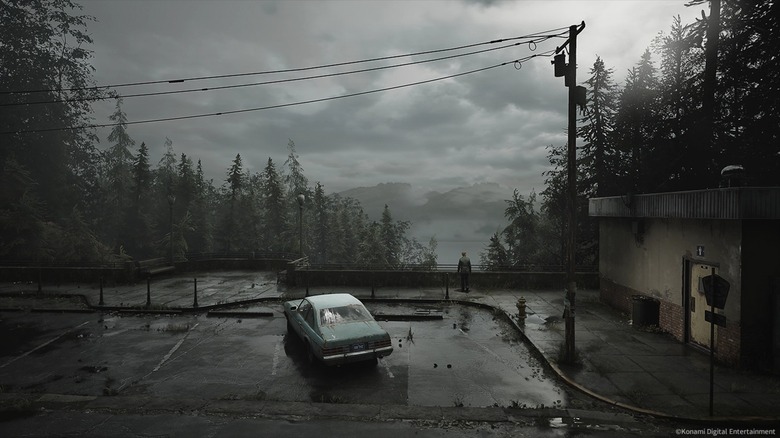
The “Silent Hill 2” remake might not require ray tracing, but its minimum specs still aren’t very forgiving. Nvidia’s 1070 Ti and the RX 5700 act as the bare minimum here, and while the game can run on lower-end cards, you aren’t going to get very stable frame rates even with FSR. With the settings cranked up as high as they can go, anything below a 7900 XTX isn’t going to handle 4K above 30 FPS, and even a 7900 XT only barely gets above 60 FPS at 1080p. A slow-paced horror game like this one shouldn’t need as high of a frame rate as possible, but the issues go beyond the numbers that GPUs can reach in it.
“Silent Hill 2” has received plenty of criticism about being poorly optimized. User-made modifications that remove the game’s fog reveal a lot of extra details, which also means more resources are spent on rendering those details. This poor use of graphics card power is exacerbated by how often you’ll run into stutters, with the loading of certain objects causing some impacted performance. You can find ways to make the game run a lot more smoothly with the right settings, but you’ll probably still find your GPU being pushed to its limit as you play.
S.T.A.L.K.E.R. 2: Heart of Chornobyl
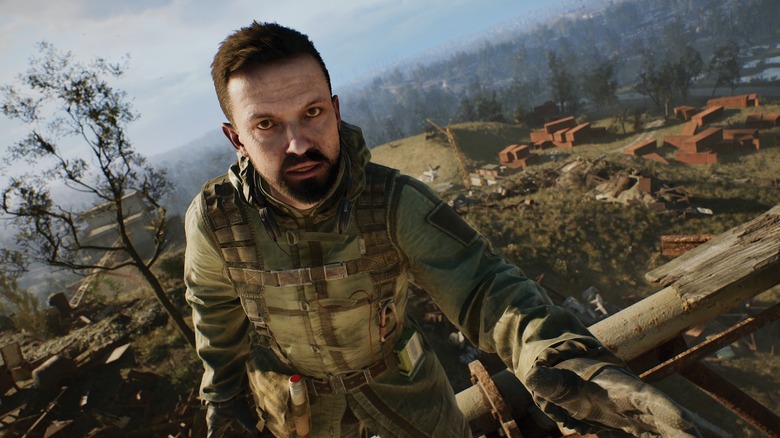
“S.T.A.L.K.E.R. 2: Heart of Chornobyl” faces some similar problems to “Silent Hill 2.” While it does have some achievable minimum requirements, many players have found its performance to be extremely inconsistent, once again suffering from stutters and poor optimization. Recent patches have made an effort to fix some of these problems, allowing for a smoother experience for most players. But with the settings turned up all the way, you’re still able to pressure the 5090, with frame rates just barely above 60 at 4K.
Many reviewers have found the game to be pretty CPU-limited as well. Without using the best gaming CPU for your budget, you’re likely to run into issues even with the best GPU you can afford. High-end cards can have a hard time even with the help of upscaling, while the lowest-end card that can handle 60 FPS at 1080p medium is a Radeon RX 7800 XT or 6900 XT. “S.T.A.L.K.E.R. 2” is the type of game that can test your entire setup, rather than just relying on your graphics card.
Star Wars Outlaws

Ubisoft’s “Star Wars Outlaws” doesn’t have the most crippling minimum requirements in the world, but it can still give your computer a run for its money. The only card that can handle this game at 4K ultra settings above 60 FPS is a 5090, and anything below a 3070 will still have some noteworthy issues at 1080p. Even with a greater GPU, users have noted instances of visual bugs and unloaded textures, leading the game to struggle even when it shouldn’t. Unfortunately, this is somewhat of a trend for recent “Star Wars” games.
“Star Wars Jedi: Survivor” — a game made by EA — is in a strikingly similar situation to “Outlaws.” At launch, it was lauded as one of the worst-optimized PC games out there, and recent patches didn’t do a whole lot to fix that. It runs better than “Outlaws,” but even with DLSS, a 4090 will struggle to maintain 60 FPS at 4K resolution. At this rate, the next big-budget “Star Wars” game might not even be playable with mid-range specs.
Starfield
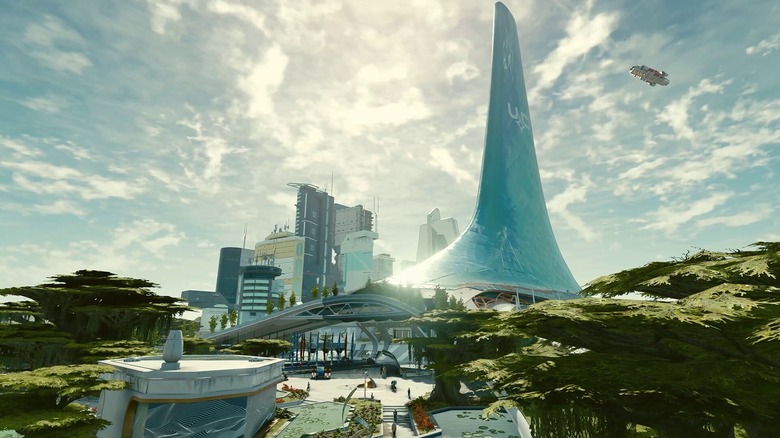
Technically, you can play “Starfield” on a Steam Deck. While user-made tweaks can help out with getting it to run natively, though, this game certainly wasn’t designed with that in mind. At minimum, it’s recommended that you use the “Silent Hill 2” minimum specs, and even this will hardly get you more than 30 FPS at 1080p ultra settings. Patches have once again pushed to help further optimize this game on PC, and luckily, those make “Starfield” one of the few titles on this list to actually reach above 100 FPS using the 5090 with everything maxed out at 4K.
“Starfield” is a Bethesda game, and that means that many of its performance issues can be remedied with mods. Many of the most downloaded modifications focus entirely on assisting with how the game runs, with some having gone as far as adding Frame Generation before this title officially supported it. As many fans of Bethesda’s products likely already know, their communities go a long way in seeing how far they can take games on low-end systems — and high-end PCs, as well.
Bonus: Heavily Modded Skyrim
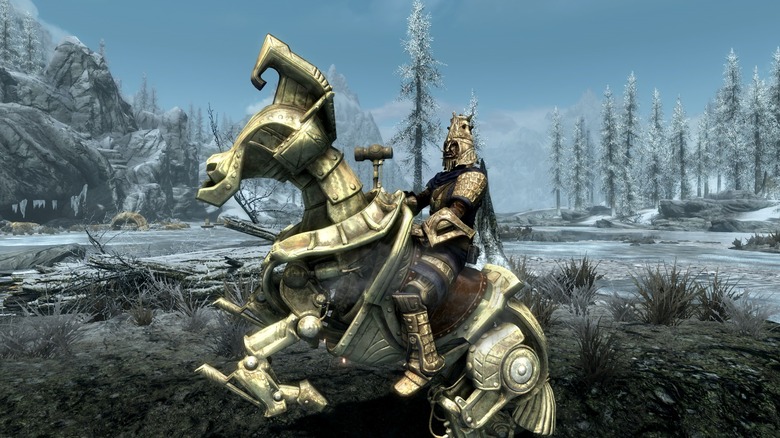
With “The Elder Scrolls V: Skyrim” having been officially released back in 2011, it might not be the first choice for people who want a title that can stress their brand-new 5090 or 7900 XTX. As with “Starfield,” though, “Skyrim” has been provided with hundreds of community-made mods, ranging from high-res texture overhauls to full support for ray tracing. Some of these mods are included in packs together, and some of those packs have their own system requirements ranging as high as a 4070. Many of these mods can be used in VR, as well, which only helps put more pressure on the GPU — and the entire system, really.
On its own, “Skyrim” isn’t going to be a taxing game for any modern graphics card. But its modding community is alive and well, and it will likely continue to push the boundaries as newer cards find their way into the hands of more people. With enough mods installed, you could make this game into a formidable testing ground for graphics cards that are still years away from release.
Source: http://www.slashgear.com/1789100/most-gpu-intensive-games-today/
You may also like

